
Order steps
Nine steps and two status chains
Five steps get an item into the warehouse and four get the parcel to you. ACBuy publishes a status name for every stage, so this page maps each name to what is physically happening.
On this page
- The nine steps in order
- Six order states
- Eleven parcel states
- The three screens that matter
- What to do when it stalls
The sequence
Nine steps, five before the parcel exists
ACBuy's own beginner guide splits the process into five purchase steps and four parcel steps. The split matters: the first five end with an item sitting in a warehouse, and nothing leaves China until you decide it should.
Step 1. Select the item
Paste the marketplace link, search by name, or search by image. If the link cannot be parsed you land on the DIY Order page and fill in the details yourself.
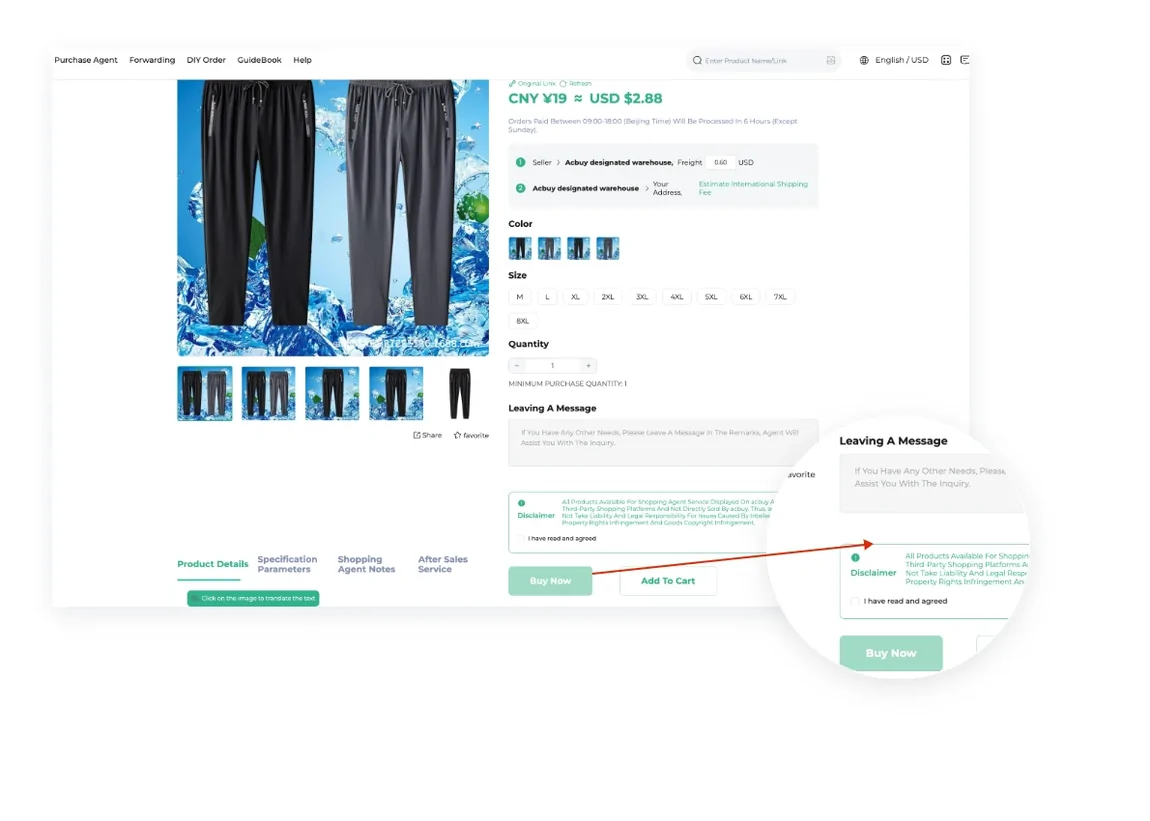
Step 2. Place the order
Colour, size and quantity behave like a normal checkout. Add to cart if you plan to buy several things, since everything in one cart pays domestic shipping once per seller.
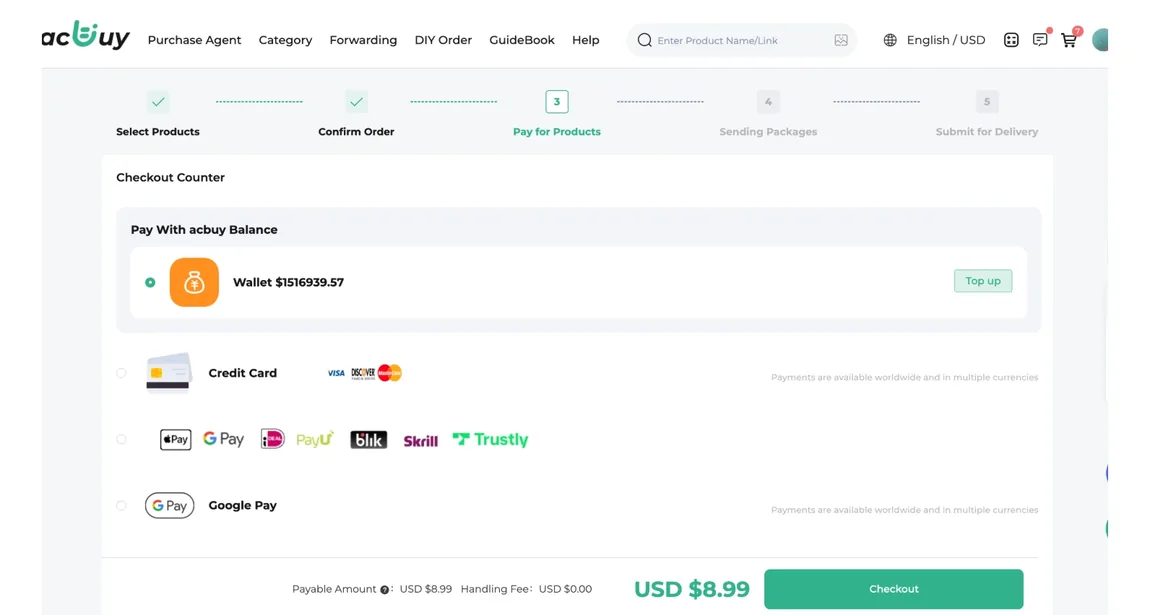
Step 3. Pay for the item
You pay the product price and the seller's domestic shipping to the ACBuy warehouse. Multiple currencies are supported, and the official checkout screenshot shows a handling fee of USD 0.00 on the method used.
Step 4. The agent buys it
An ACBuy buyer contacts the seller and completes the purchase. Use Order Inquiry for anything the seller needs to know, because you have no direct line to them.
Step 5. Inspection and storage
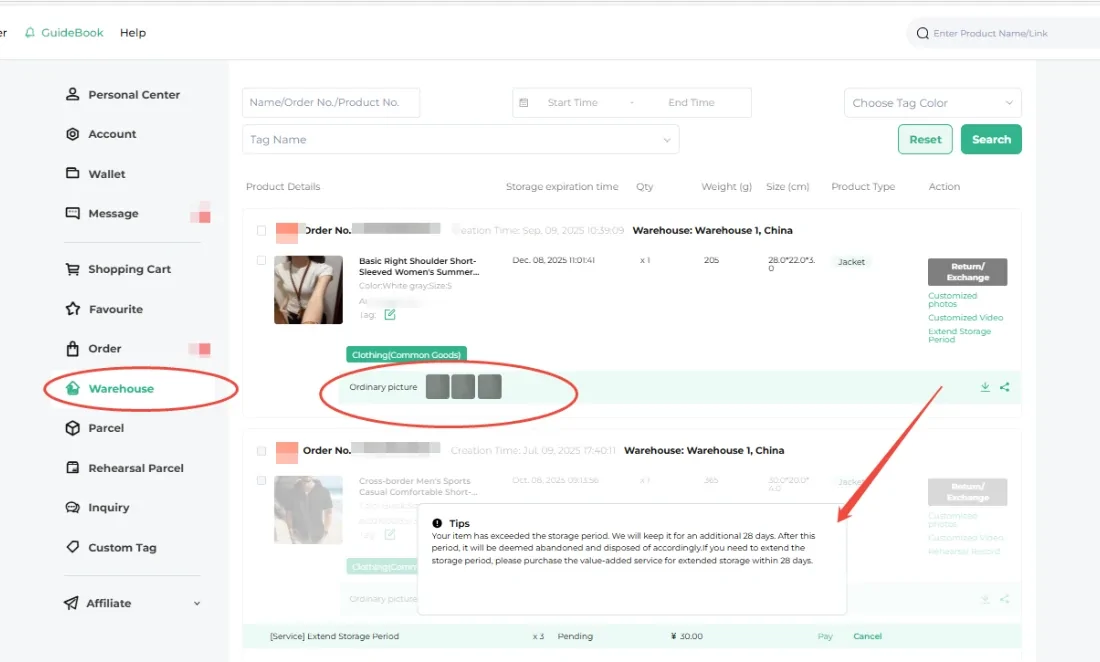
The warehouse receives, inspects, weighs and photographs the item, then stores it. ACBuy states that three free photos are usual. Free storage starts here.
Step 6. Submit the parcel
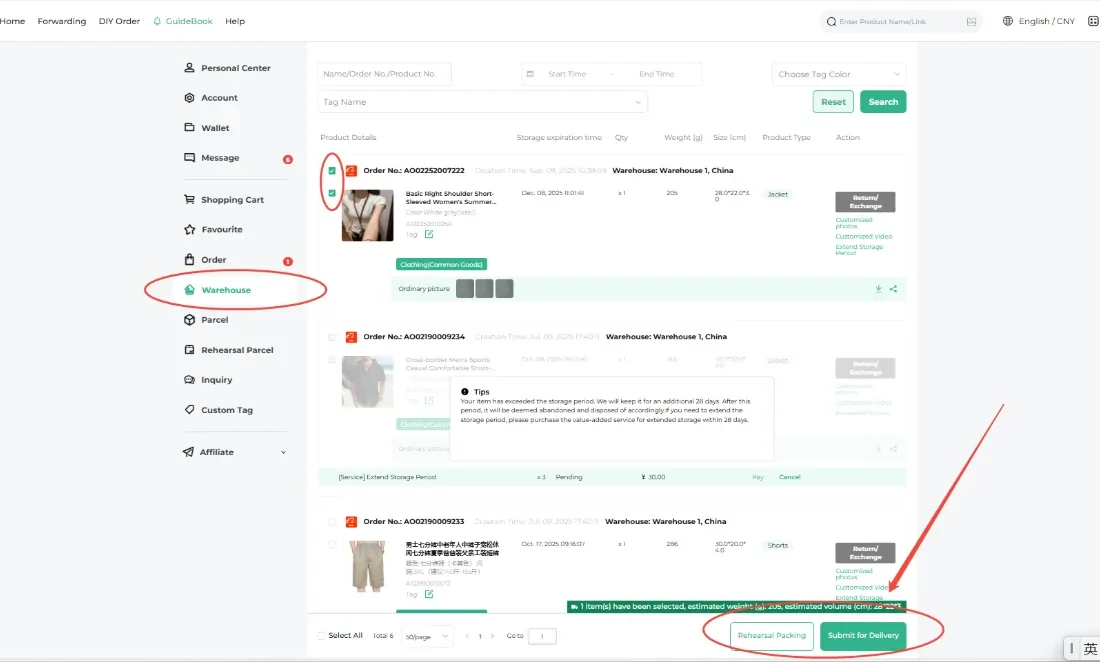
Select what you want to send from the warehouse, enter the destination address and choose from the routes ACBuy shows as available for those goods.
Step 7. Pay the international deposit
The deposit is an estimate based on weight, volume, destination and route, and it already includes the customs clearance fee, the warehouse handling fee and any value-added services.
Step 8. ACBuy ships it
The parcel is packed, weighed and measured, then the real cost is calculated. If it is below the deposit you get the difference back, and if it is above you pay the shortfall.
Step 9. Delivered and reviewed
Tracking usually starts updating around three days after the parcel is marked Shipped. Points accumulate and become redeemable at 500.
Source: ACBuy shopping guide, beginner guide, steps 1 to 9. Checked 2026-08-03.
Status chains
Six order states, in order
Every order carries one of six published states. Knowing the sequence turns a vague worry into a specific question, which is the single biggest improvement you can make to a support conversation.
- Under review
- Purchased
- Seller Sent
- Delivered
- Being Stored
- Stored
Under review means nobody has bought anything yet. Seller Sent means the domestic parcel is moving to the warehouse and neither you nor ACBuy controls the speed. Stored is the state that starts the storage clock on the storage ladder.
Eleven parcel states, in order
Once you submit a parcel the vocabulary changes completely. These eleven states cover everything from the warehouse picking your items to the carrier confirming delivery.
- Awaiting processing
- Processing
- Collecting
- Collected
- Packing completed
- Weighed
- Waybill printed
- Scanned
- Delivered to carrier
- Shipped
- Received
The two that cause the most confusion are Weighed and Shipped. Weighed is when the real cost is settled against your deposit. Shipped does not mean tracking works yet, since ACBuy notes that tracking usually begins updating about three days later.
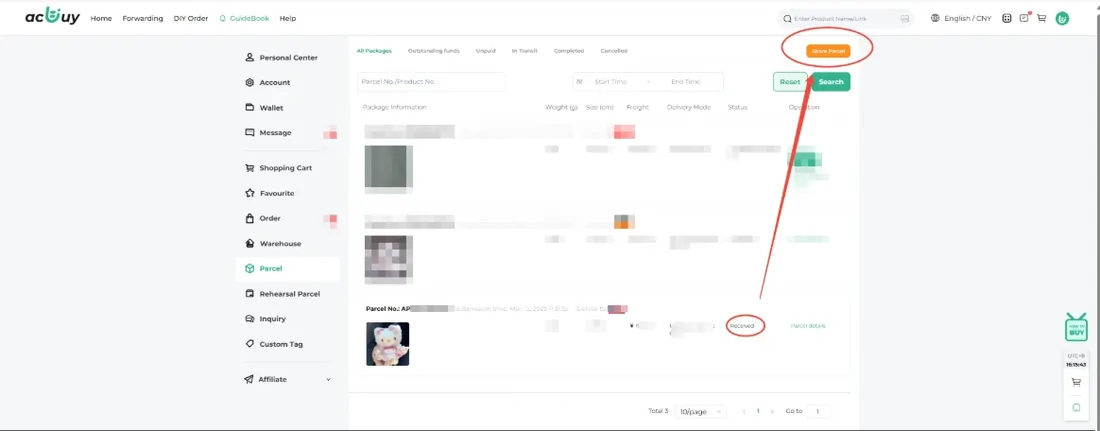
The three screens you will spend the most time on
Almost every question a first-time user has is answered by one of these three pages, and all three come from ACBuy's own guide rather than from us.
When it stalls
What to do when a step does not move
Most stalls are normal. These are the ones worth acting on.
The order has said Under review for days
Nothing has been bought yet. Open Order Inquiry and ask whether the seller has stock in the colour and size you chose. If the listing is out of stock, cancelling early is cheaper than waiting.
Seller Sent, but nothing arrives at the warehouse
This leg is a domestic Chinese courier and neither you nor ACBuy is driving it. Give it a few days, then ask support to chase the domestic tracking number.
The item is Stored but I do not want to ship yet
That is the intended use. Free storage runs for 90 days from the Stored date, so people commonly buy across several weeks and ship once. Watch the ladder on the shipping and storage page.
A route I wanted is not offered
ACBuy filters routes by what is in the parcel and where it is going, and shows a reason for unavailability. One restricted item restricts the whole waybill, so try submitting that item separately.
Shipped, but tracking shows nothing
Expected. ACBuy's guide says tracking usually begins updating around three days after the parcel is marked Shipped.
When the parcel arrives
Keep the tracking reference, label and packaging until the contents have been checked. Photograph visible damage and record which order item is missing or affected. Contact the agent promptly with the parcel ID, QC evidence and clear photos; the route’s claim deadline and coverage apply.